
Word Counter & Analyzer
Count words, analyze readability & keyword density instantly
Free Word Counter: Count Words, Characters & Analyze Your Content (2026 Guide)
By the NexusEase Tools Team · Last updated July 2026 · 11 min read
Last month I helped a client audit 40 product descriptions before a site relaunch. She had written them all in Google Docs over several weeks and was convinced they were roughly the same length. When we ran them through a word counter, the shortest came in at 67 words and the longest at 412 — and both were supposed to be “about 150 words.” Neither extreme was ideal: the short ones were too thin for SEO, and the long ones were burying the product benefits under filler sentences.
That’s the thing about word count — our instinctive sense of it is usually wrong. We write, we revise, and by the time we’re done, we genuinely don’t know if we’ve written 400 words or 800.
A dedicated word counter removes the guesswork. Beyond just counting, a good one tells you reading time, keyword density, readability level, and character counts for specific platforms — all the signals that determine whether your content actually works once it’s published.
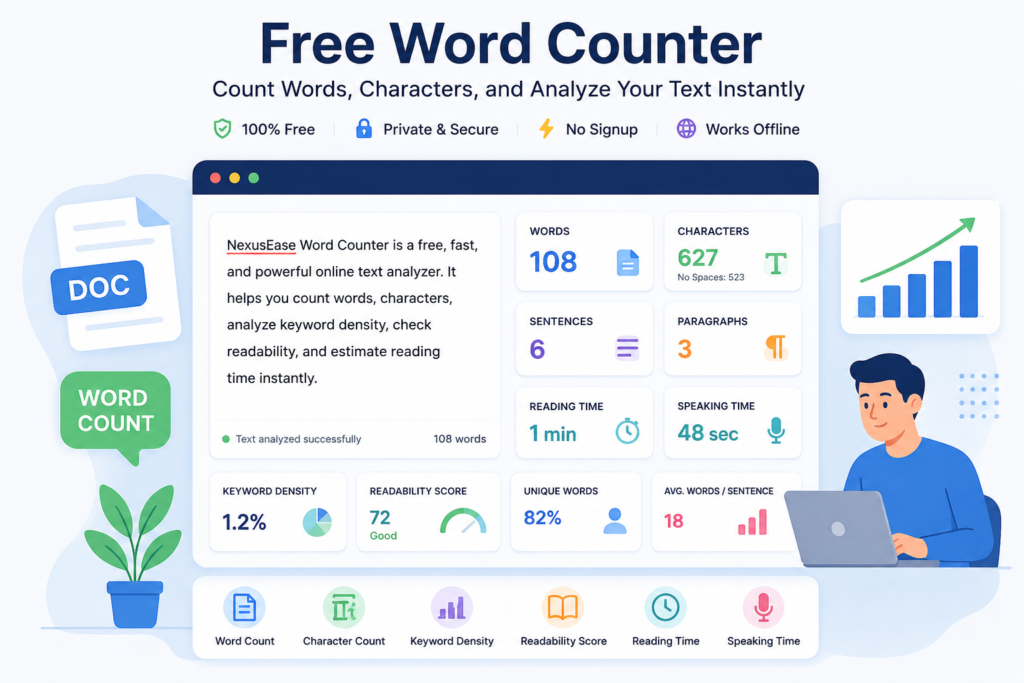
Our free Word Counter & Analyzer shows all of this as you type, with no signup and no text ever leaving your browser.
What Is a Word Counter, and What Does It Actually Do?
A word counter is a browser-based tool that measures the length and structure of text in real time — counting words, characters, sentences, and paragraphs, while also estimating reading time, checking keyword density, and scoring readability.
The basic version of this exists inside Microsoft Word and Google Docs, buried in a status bar or a menu. What a dedicated online counter adds is immediacy and depth: every metric appears at once, updating as you type, without opening a separate dialog or running a separate check.
If you’re writing a 280-character tweet, you need to see your character count update with every keystroke — not after you’ve already hit publish and discovered you’re 40 characters over.
For SEO professionals, content marketers, students with strict essay requirements, and social media managers working across multiple platforms daily, that immediacy matters more than it sounds.
How the NexusEase Word Counter Works
Three ways to get your text in:
Type directly
Start writing in the input field and every metric updates with each keystroke — no button to press.
Paste from anywhere
Copy from Google Docs, Notion, an email draft, or a web page and paste it in. The tool handles plain text, and everything happens locally in your browser.
Upload a .txt file
For longer documents — a manuscript chapter, a long-form article, or a batch of product descriptions — upload the file directly.
Once your text is in, the tool displays:
- Word count
- Character count (with and without spaces)
- Sentence count
- Paragraph count
- Unique word count
- Reading time
- Speaking time
- Keyword density
- Flesch readability score
—all at once, all updated instantly.
Word Count vs Character Count — They’re Not the Same Thing
Word count measures how many individual words appear in your text; character count measures every letter, number, space, and punctuation mark — and the two serve completely different purposes depending on where your content is going.
Here’s a real example:
“Schedule your free consultation today — link in bio.”
That’s 8 words but 51 characters including spaces.
If you’re writing a tweet, you care about the 51 (well under the 280-character limit).
If you’re writing a minimum 500-word essay, you care about the 8 — and you have 492 more to go.
The confusion between the two leads to real publishing mistakes:
- Email subject lines should be 40–60 characters — not 40–60 words. A 10-word subject line can be anywhere from 48 to 90+ characters depending on which words you chose.
- Twitter/X shows a character countdown in the compose box, not a word counter. Understanding that “I” is 1 character but “extraordinary” is 13 — while both are 1 word — is what lets you write concisely.
- Meta descriptions for Google search results are cut at approximately 155–160 characters. If you write yours in words (“I’ll keep it under 25 words”), you might still get truncated.
Keyword Density: What It Is and Why 0.5–2% Is the Target
Keyword density is the percentage of times a specific word or phrase appears in your content relative to total word count; the practical target for 2026 is 0.5% to 2%, and going above that risks triggering over-optimization signals that hurt rankings rather than help them.
The formula:
Keyword Density = (Times keyword appears ÷ Total words) × 100

A real example: I was editing a client’s 1,200-word service page recently. Their primary keyword — “digital marketing agency” — appeared 31 times. That’s a 2.6% density, and Google had already flagged the page in Search Console for “keyword stuffing.” We cut it to 14 appearances (1.2% density), rewrote those sections with semantic variations, and the page climbed from position 34 to position 11 over six weeks.
The issue isn’t just rankings — it’s readability. When you overuse a keyword, readers feel it even if they don’t consciously register it. The sentence starts sounding manufactured.
The NexusEase Word Counter’s Keyword Density Analyzer lets you check this before you publish, so you’re not editing retroactively after a ranking drop.
Readability Scores: The Metric Most Writers Ignore (And Shouldn’t)
A readability score measures how easy your text is to understand; most web content should target a Flesch Reading Ease score of 60–70, which corresponds to an 8th-grade reading level and is understood clearly by virtually all adult readers.
The Flesch Reading Ease scale runs from 0 to 100:
| Score | Level | Typical Content |
|---|---|---|
| 90–100 | Very Easy | Children’s books, simple instructions |
| 70–90 | Easy | Casual blog posts, conversational email |
| 60–70 | Standard | Most web content, news articles |
| 30–60 | Difficult | Academic papers, legal writing |
| 0–30 | Very Difficult | Technical specs, scientific journals |
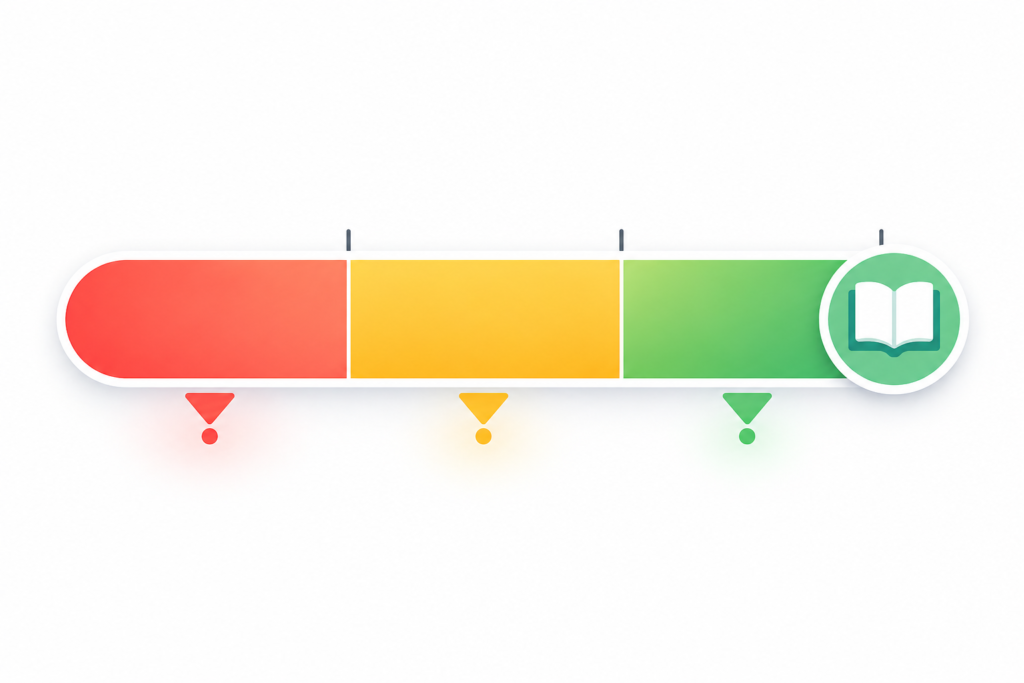
I’ve seen well-researched articles struggle to rank simply because their readability score sat at 28 — the content was thorough and accurate, but sentences averaged 34 words and paragraphs ran 200+ words without a break.
Google’s quality raters look at whether content “meets the needs of users,” and text that requires a PhD to parse often doesn’t, even when the information is correct.
Improving readability doesn’t mean dumbing down your content.
It means:
- Shorter sentences
- Active voice
- Paragraph breaks after every 2–3 sentences
- Concrete examples instead of abstract generalizations
The same information becomes accessible to more people — and more people finishing your article is a signal Google notices.
Platform Character Limits: The Exact Numbers for Every Channel
Every platform that displays text has a limit. Here are the current 2026 limits for the channels most writers and marketers deal with daily:
| Platform | Visible Limit | Hard Limit |
|---|---|---|
| Twitter / X (Free) | 280 characters | 280 |
| Twitter / X (Premium) | 25,000 characters | 25,000 |
| Instagram Caption | 125 characters shown before “more” | 2,200 |
| LinkedIn Post | ~210 characters before “See more” | 3,000 |
| LinkedIn Headline | 220 characters | 220 |
| Facebook Post | ~480 characters on desktop | 63,206 |
| Google Meta Title | ~60 characters | ~70 |
| Google Meta Description | ~155–160 characters | ~920 |
| Email Subject Line | ~40–60 characters (mobile preview) | Varies by client |
| YouTube Video Title | 70 characters before truncation | 100 |
| Pinterest Pin Description | First 50 characters in feed | 500 |

Online word counters are typically 99% accurate for standard English text. Small differences occur when tools disagree on hyphenated words — “well-being” may count as one word or two depending on the tool — and contractions like “don’t.” For academic submissions or legal documents where exact counts matter, verify with the same tool your institution uses.
Not directly. Google doesn’t rank pages higher simply for being longer. The correlation between longer content and higher rankings exists because comprehensive, well-researched content tends to be longer — not because length itself is the goal. Write what’s genuinely needed to answer the question thoroughly, whether that’s 800 words or 3,000.
The ideal keyword density range is 0.5% to 2%, meaning your primary keyword should appear approximately 5 to 20 times per 1,000 words. Above 2% risks looking like keyword stuffing to search algorithms. Below 0.5% and the topic signal may be too weak. More important than the exact percentage is whether the keyword reads naturally in context.
Reading time is calculated by dividing your total word count by 200 — the average adult reading speed in words per minute based on scientific studies. A 1,000-word article takes approximately 5 minutes to read. Speaking time uses 150 words per minute, so the same article takes about 6.7 minutes to deliver aloud.
Flesch Reading Ease is a 0–100 scale measuring how easy your text is to read. Scores of 90–100 indicate 5th-grade level simplicity, 60–70 is standard web content readable by most adults, and below 30 indicates academic or technical complexity. Most web content performs best in the 60–70 range, though the right score depends on your audience.
Yes. The NexusEase word counter processes everything locally in your browser. Your text is never sent to any server and disappears completely when you close the tab. This differs from many online tools that upload text for server-side analysis.
Different tools apply different rules to edge cases. Hyphenated compounds like “state-of-the-art” may count as one word or four. Standalone numbers may or may not count as words. Contractions count differently depending on the tool’s definition. These differences are usually small — typically 1–3% — but they explain why two tools produce slightly different totals for identical text.
The “visible limit” is what users see without clicking.
That first chunk of text is what earns the click — or loses it.
Write your strongest sentence within the visible limit, then continue beyond it for those who engage.
Reading Time and Speaking Time — Why They’re Different Numbers
Reading time is calculated at 200 words per minute, the average adult reading speed; speaking time uses 150 words per minute — meaning the same content you read in 5 minutes takes roughly 6.7 minutes to deliver aloud.
Why does this matter in practice?
For blog posts
Medium, Substack, and LinkedIn all display reading time estimates prominently.
Research from Medium’s own engineering team showed that articles with 7-minute reading times (around 1,400–1,500 words) generated the most engagement — not the shortest or the longest.
Knowing your reading time estimate before publishing helps you decide whether to cut or expand.
For speeches and presentations
The gap between reading and speaking pace surprises people every time.
A 10-minute conference talk needs approximately 1,500 words — not 2,000.
I’ve watched speakers prepare a 1,800-word script for a 10-minute slot and then have to rush the ending because they didn’t account for the slower pace of clear, deliberate speech.
Speaking time is the number you need for that.
For YouTube and podcast scripts
At 150 words per minute, a 15-minute episode needs around 2,250 words.
Plan your script length with the speaking-time estimate rather than the reading-time one.
How to Use a Word Counter Well: A Practical Workflow
Using the tool is instant — using it strategically takes one extra step.
Before you write
Set your target.
For competitive blog posts, that’s usually 1,500–2,500 words.
For a product description, 150–300 words.
For an Instagram caption hook (the text before “more”), 125 characters.
Know your destination before you start.
During writing
Don’t check constantly.
Writing with one eye on the word count turns into padding — you start adding sentences just to push the number up rather than because they add something real.
Write first, check when you think you’re done.
After a draft
Run three checks in this order:
- Word count against your target — are you significantly over or under?
- Keyword density — is your primary term in the 0.5–2% range?
- Readability score — are you in the 60–70 range for general web content, or higher/lower depending on your specific audience?
Before publishing
Paste your meta title and meta description into the character counter and confirm they fall under 60 and 155 characters respectively.
This takes 30 seconds and prevents the truncated search result that wastes the SEO effort you put into the rest of the page.
Word Count Targets by Content Type
Different formats have different benchmarks.
These ranges reflect what consistently performs well, not arbitrary minimums:
| Content Type | Word Count Target | Notes |
|---|---|---|
| Blog post (competitive keyword) | 1,500–2,500 | Enough depth to cover the topic thoroughly |
| Blog post (low competition) | 800–1,500 | Concise coverage often wins over padded length |
| Product description | 150–300 | Focus on benefits and specifications |
| Email newsletter | 200–500 | Readers scan; get to the point |
| LinkedIn article | 1,000–2,000 | Long-form performs better than short updates |
| Essay (undergraduate) | Per assignment | Always check the requirement; under = marks off |
| YouTube script (10-minute video) | ~1,500 | At 150 wpm speaking pace |
| Podcast script (20-minute episode) | ~3,000 | Same speaking pace assumption |
| Twitter/X thread | 280 per tweet | Lead tweet earns the expand — write it first |
| Google meta description | 155–160 characters | Not words — characters |
Three Mistakes That Waste a Word Counter’s Value
1. Using Word Count as the Goal Instead of the Gauge
Padding content to hit a number produces exactly what Google’s quality systems were built to penalize — thin content made long artificially.
If your article genuinely covers a topic in 900 words, that 900-word article serves readers better than a 1,800-word version with filler.
Word count is a diagnostic, not a target.
2. Checking Keyword Density Once and Calling It Done
Keyword density matters in context.
A keyword appearing 12 times in a 1,000-word article (1.2% density) sounds fine — but if 9 of those 12 appearances are in the first 300 words, it reads as stuffed regardless of the overall percentage.
Look at distribution, not just the total number.
3. Ignoring Readability for “Technical” Content
“My audience is technical, so readability doesn’t apply” is one of the most common rationalizations I hear from content teams.
Even technical readers benefit from clear writing.
A Flesch score of 35 doesn’t signal expertise — it signals that you haven’t edited your sentences yet.
Clarity and technical accuracy are not opposites.

Frequently Asked Questions
How accurate is this word counter compared to Microsoft Word?
The NexusEase counter uses the same word-boundary detection as modern writing software — any sequence of characters separated by spaces or standard punctuation counts as a word.
For standard English text, accuracy is 99%+.
Small differences appear with hyphenated compounds (“state-of-the-art” counts as one word here, as in Word) and contractions.
For academic submissions where exact word counts are graded, verify against the software specified by your institution.
Does word count directly affect Google rankings?
Not directly — there is no ranking algorithm that rewards longer pages as such.
The correlation between long content and high rankings exists because comprehensive content tends to cover more angles, target more related terms, and earn more backlinks.
The goal is depth, not length.
A genuinely thorough 900-word article outperforms a padded 2,500-word one that says the same thing three times.
What is the ideal keyword density for SEO in 2026?
0.5% to 2% for your primary keyword — that’s 5 to 20 appearances per 1,000 words.
Above 2% increases the risk of over-optimization flags.
Below 0.5%, the keyword signal may be too weak for search engines to confidently associate the page with that term.
Always prioritize natural reading over hitting a precise percentage.
How is reading time calculated?
Reading time is calculated by dividing the word count by 200 — the average adult reading speed in words per minute, based on decades of cognitive research.
Speaking time uses 150 words per minute.
A 1,500-word article takes approximately 7.5 minutes to read and 10 minutes to deliver as a presentation.
What does Flesch Reading Ease score mean?
It’s a 0–100 scale measuring text accessibility.
Scores of 60–70 represent standard web content readable by most adults.
Below 30 indicates academic or highly technical material.
Above 80 reads as simple or conversational.
Match your target score to your audience — there’s no universally correct number.
Is my text private when I use this word counter?
Yes.
All processing happens locally in your browser.
No text is transmitted to any server at any point.
Closing the tab clears everything.
This matters especially for drafts, client content, and any proprietary material you’d rather not expose to third-party servers.
Why do different word counters give different results?
Edge-case rules vary by tool:
- Hyphenated compounds
- Contractions
- Standalone numbers
- URLs
…all get counted differently depending on the tool’s definition of “a word.”
These differences are typically small — 1–3% — but consistent enough that it’s worth using the same tool across related projects so your comparisons mean something.
Count Words, Characters, and More — Free, Private, Right Now
Our free Word Counter & Analyzer gives you:
- Word count
- Character count
- Keyword density
- Flesch readability score
- Reading time
- Speaking time
- Unique words
- Sentence count
- Paragraph count
—all updated in real time, all in your browser, with nothing stored or transmitted.
About this guide:
Word count benchmarks and platform character limits reflect current data as of July 2026.
Platform limits change — verify critical limits directly on each platform before a high-stakes campaign.
Reading time and speaking time estimates use standard published research averages (200 wpm reading, 150 wpm speaking) and vary by reader and complexity.
This guide is updated periodically as platform specifications and SEO best practices evolve.
Have a question about a metric this tool shows that isn’t covered here? Reach out to the NexusEase team.